How to Organize Your Work

How to Organize Your Work and Tasks More Efficiently
Staying organized can make a major difference in how effectively you complete your daily responsibilities. Whether you work from home, manage a business, study, run a website, or handle multiple projects, poor organization can quickly lead to missed deadlines, forgotten tasks, and unnecessary confusion.
The good news is that better organization does not require a complicated system. With a clear task-management process, realistic priorities, and a consistent routine, you can create a workflow that makes your work easier to manage.
Organizing your work is not about making a perfect schedule. It is about creating a practical system that helps you understand what needs to be done, what should be done first, and what can wait.
In this guide, we will explore practical ways to organize work and tasks more efficiently, improve your workflow, manage priorities, and keep track of your progress.

Why Is Work Organization Important?
When tasks are not organized, it is easy to lose track of important responsibilities.
You might remember one task while working on another, switch between several projects, or spend too much time looking for information.
An organized workflow can help solve these problems.
Some key benefits include:
- Better time management
- Clearer priorities
- Fewer forgotten tasks
- Easier project management
- Improved focus
- Better deadlines management
- More consistent results
Organization also makes it easier to understand the current status of your work.
Instead of wondering what still needs to be completed, you can look at your task system and immediately see what is pending.
1. Write Down Everything You Need to Do
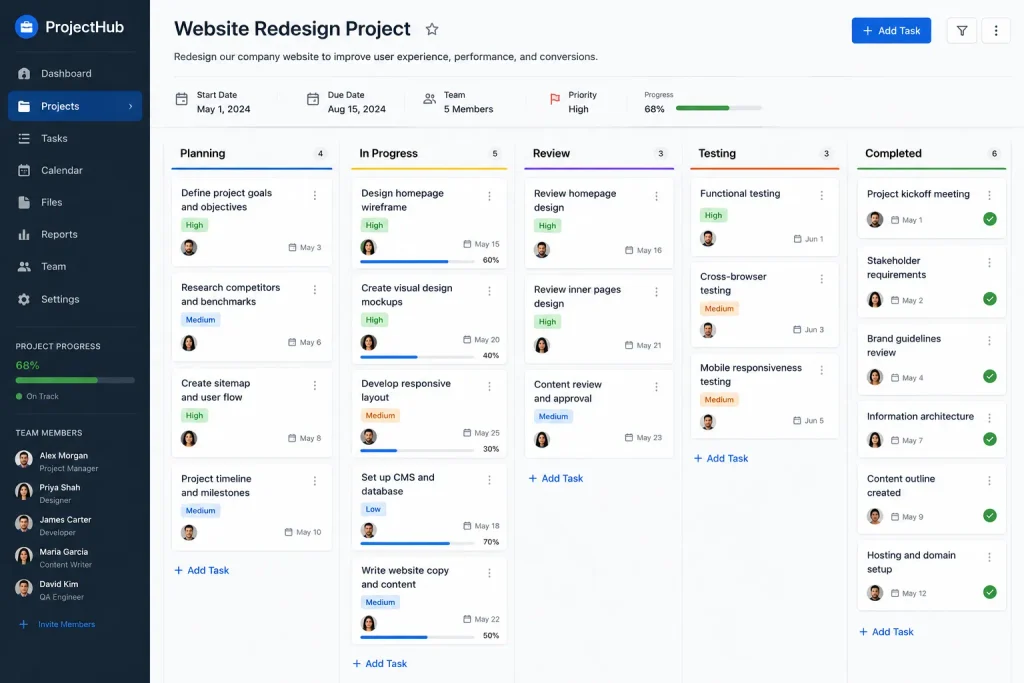
One of the first steps toward better organization is to stop relying entirely on memory.
Write down your tasks in one central location.
This could be:
- A notebook
- A spreadsheet
- A calendar
- A task-management application
- A project board
The specific tool is less important than consistency.
For example, instead of trying to remember that you need to write an article, respond to an email, update a webpage, and review a project, put all four tasks into your task list.
Once tasks are written down, your mind does not have to keep remembering them.
2. Separate Large Projects Into Smaller Tasks
Large projects often become difficult because they contain many individual activities.
Instead of creating a task called:
“Complete Website Project”
break it into smaller tasks such as:
- Review website structure
- Prepare content
- Organize images
- Update important pages
- Check page formatting
- Review SEO elements
- Test links
- Publish changes
Each task is easier to understand and complete.
This approach also makes progress easier to track.
3. Create Clear Priorities
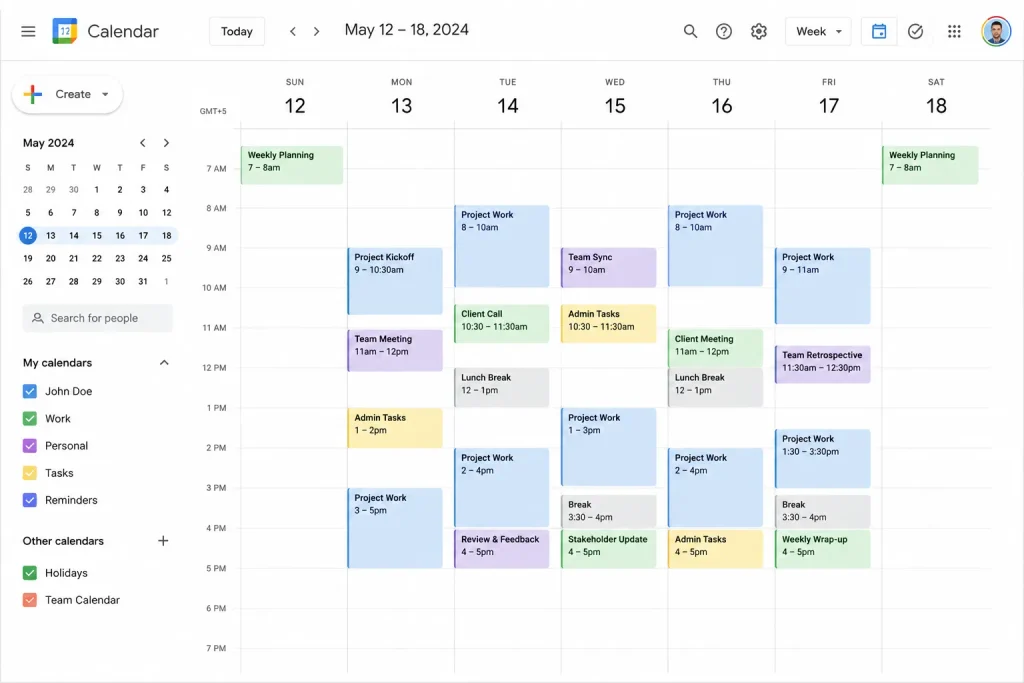
Not every task has the same level of importance.
If you treat every task as urgent, it becomes difficult to know where to focus.
A simple priority system can help.
High Priority
Tasks that have important deadlines or significant consequences.
Medium Priority
Important tasks that do not require immediate attention.
Low Priority
Tasks that can be completed later without affecting major goals.
You can also select your top three priorities each day.
This gives your day a clear direction without creating an unrealistic list.
4. Use a Daily Task List
A daily task list provides a simple structure for your day.
At the beginning of the day, review your larger task list and choose the activities you realistically expect to complete.
For example:
Today’s Priorities
- Finish article draft
- Review website pages
- Organize project documents
Secondary Tasks
- Check non-urgent messages
- Update notes
- Organize files
Keep the list realistic.
A shorter list that you actually complete is generally more useful than a huge list that remains unfinished.
5. Organize Tasks by Project
If you are working on several projects, grouping tasks by project can reduce confusion.
For example:
Website Project
- Research topics
- Write articles
- Update pages
- Review SEO
Business Project
- Prepare documents
- Review customer information
- Organize meetings
Personal Project
- Plan activities
- Review schedule
- Complete pending tasks
Project-based organization makes it easier to switch between projects intentionally instead of randomly.
6. Use Time Blocking
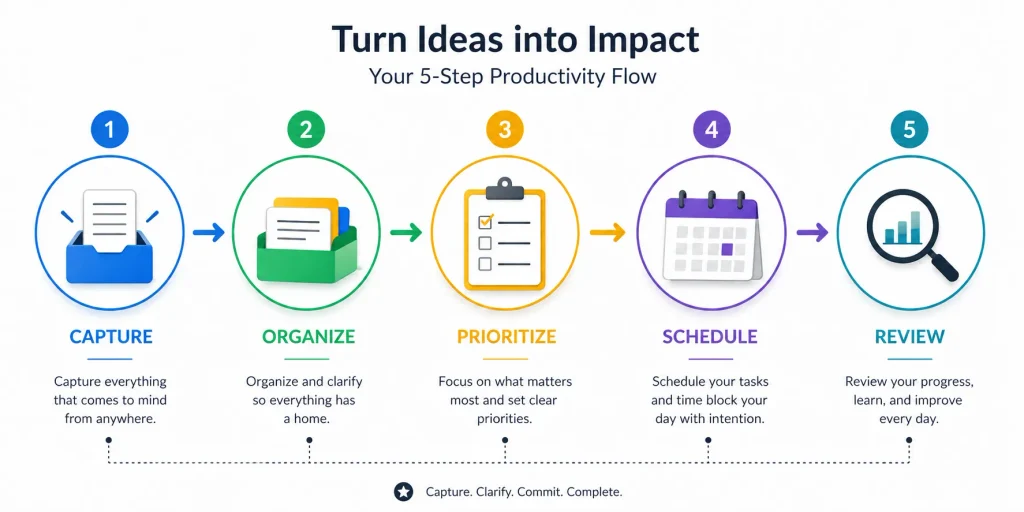
Time blocking involves assigning specific periods to particular activities.
For example:
9:00–10:30: Main project work
10:30–11:00: Messages and administration
11:00–12:30: Content creation
1:30–2:30: Project review
2:30–3:30: Secondary tasks
The schedule can be adjusted according to your responsibilities.
The main benefit is that important work receives dedicated time.
7. Create a Consistent File Organization System
Digital files can quickly become difficult to manage if they are saved randomly.
Create folders based on projects, categories, or years.
For example:
Website
- Articles
- Images
- SEO
- Reports
Business
- Documents
- Projects
- Reports
- Archive
Use clear file names rather than vague names such as:
document1.docx
A better filename might be:
September-Article-Plan.docx
Clear naming makes files easier to find later.
8. Use Checklists for Repetitive Work
If you repeatedly perform the same process, create a checklist.
For example, before publishing an article, your checklist might include:
- Confirm topic
- Check keyword
- Review title
- Edit content
- Add headings
- Add images
- Add internal links
- Write meta description
- Review formatting
- Publish
- Check final page
Checklists are particularly useful because they reduce the chance of forgetting small but important steps.
9. Avoid Unnecessary Multitasking
Switching between several tasks can make organization more difficult.
For example, you may begin writing an article, stop to check messages, open another project, return to the article, and then start organizing files.
This creates unnecessary task switching.
Whenever possible, finish a meaningful stage of one task before moving to another.
If a new idea appears while you are working, write it down and return to it later.
10. Create a “Waiting For” List
Some tasks depend on other people.
For example, you may be waiting for:
- A document
- A response
- Approval
- Feedback
- Information
- A completed assignment
Instead of keeping these items in your main task list, create a Waiting For section.
This lets you distinguish between tasks that you can actively work on and tasks that are currently dependent on someone else.
11. Set Realistic Deadlines
Deadlines can help you stay organized, but unrealistic deadlines can have the opposite effect.
When setting a deadline, consider:
- The size of the task
- Other responsibilities
- Possible delays
- Review time
- Available resources
If a project requires several stages, create smaller deadlines for each stage.
For example:
Monday: Research
Tuesday: Outline
Wednesday: Writing
Thursday: Editing
Friday: Final review
This makes the overall deadline easier to manage.
12. Keep Your Workspace Organized
Organization is not limited to digital tasks.
Your physical workspace also matters.
Keep frequently used materials within easy reach and remove items that are not needed for your current work.
A clean workspace can make it easier to locate important items and begin tasks without unnecessary preparation.
The same principle applies to your computer desktop.
Avoid keeping hundreds of unrelated files on the desktop. Use folders to organize them.
13. Review Your Tasks at the End of the Day
Before finishing your workday, spend a few minutes reviewing your task list.
Ask:
- What did I complete?
- What remains unfinished?
- Which tasks became more important?
- Did anything get delayed?
- What should I work on tomorrow?
Move unfinished tasks to another day rather than simply leaving them on an old list.
This creates a clean starting point for the next day.
14. Have a Weekly Planning Session
Daily planning is useful, but weekly planning provides a bigger picture.
At the beginning or end of each week, review your projects and upcoming deadlines.
Identify:
- Major goals
- Important deadlines
- Pending tasks
- Meetings
- Projects requiring attention
- Tasks that can be postponed
Then decide what you want to accomplish during the coming week.
Weekly planning helps prevent important projects from being forgotten while you focus on daily activities.
15. Automate Repetitive Activities Where Appropriate
Some repetitive activities may be suitable for automation.
For example, technology can sometimes help with:
- Reminders
- Calendar notifications
- Recurring tasks
- File organization
- Reports
- Routine updates
However, automation should simplify your workflow rather than make it more complicated.
First understand the process manually, then consider which repetitive steps could benefit from automation.
Common Work Organization Mistakes
Keeping Tasks in Too Many Places
If your tasks are spread across notebooks, emails, applications, and random notes, it can be difficult to know which list is current.
Try to maintain one primary task-management system.
Making Huge Daily Lists
A very long list can create unnecessary pressure.
Choose realistic priorities instead.
Ignoring Deadlines
A task without a deadline may continue to move from one day to another.
Add deadlines when they are meaningful.
Not Reviewing Unfinished Tasks
If unfinished tasks are never reviewed, important work can disappear from your attention.
Review them regularly and decide whether they should be completed, rescheduled, delegated, or removed.
Overcomplicating Organization
An organization system should save time.
If maintaining the system becomes difficult, simplify it.
A Simple Work Organization System
If you want to start immediately, use this five-part system:
Step 1: Capture
Write down every task that needs attention.
Step 2: Organize
Group tasks by project or category.
Step 3: Prioritize
Identify the most important activities.
Step 4: Schedule
Give important tasks realistic time periods.
Step 5: Review
Check your progress daily and weekly.
This simple process can provide a strong foundation for better task management.
Frequently Asked Questions
What is the best way to organize work tasks?
Start by putting all tasks into one central system, then group them by project, assign priorities, and schedule important activities.
How can I organize many tasks at once?
Break large projects into smaller tasks and focus on the highest-priority activities first.
Should I use a task-management app?
A task-management app can be useful, but it is not essential. A notebook, calendar, or spreadsheet can also work.
How often should I organize my tasks?
Review your tasks daily and perform a more detailed review once a week.
How can I avoid forgetting important tasks?
Use a central task list, reminders, deadlines, and checklists for repetitive processes.
Conclusion
Organizing work and tasks efficiently starts with creating a system that is simple, clear, and easy to maintain. By writing tasks down, breaking large projects into smaller steps, setting priorities, using realistic deadlines, and reviewing your progress regularly, you can create a more effective workflow.
You do not need dozens of productivity tools to stay organized. A simple task list, project structure, calendar, and checklist can provide everything you need to begin.
The most important thing is consistency. Use your system every day, review it regularly, and adjust it when your needs change.
With the right approach, organized work becomes less about trying to remember everything and more about following a clear process that helps you focus on what matters.


