Practical Tips for Creating a More Efficient Workflow

Practical Tips for Creating a More Efficient Workflow
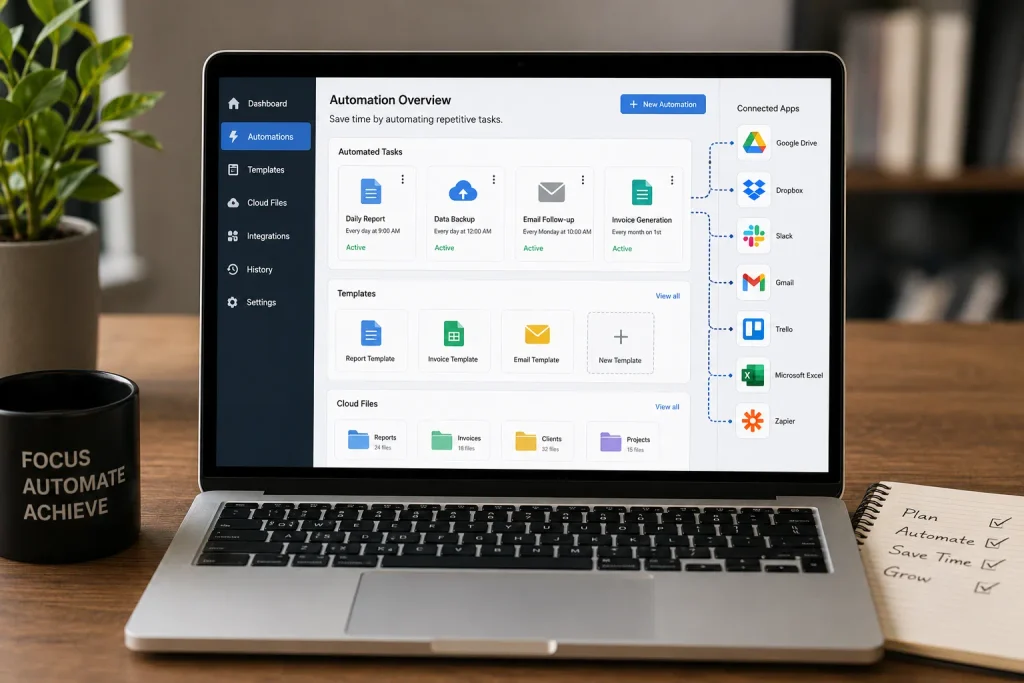
A well-organized workflow can make everyday work faster, easier, and less stressful. Whether you are working on business projects, managing a website, handling office responsibilities, studying, or working from home, the way you organize your tasks can have a major impact on your results.
An inefficient workflow often involves repeated tasks, unnecessary interruptions, unclear priorities, and too much time spent searching for information. Even when you work hard, these problems can prevent you from making meaningful progress.
The good news is that creating a more efficient workflow does not require complicated systems. A few practical changes can help you organize your responsibilities, reduce wasted time, and create a smoother way of working.
What Is a Workflow?

A workflow is the sequence of steps you follow to complete a task or project.
For example, a simple content-creation workflow might look like:
Idea → Research → Writing → Editing → Images → SEO → Publishing
A business workflow could involve:
Customer Request → Review → Work → Quality Check → Delivery → Follow-Up
When the steps are clear, it becomes easier to know what needs to happen next.
An efficient workflow reduces unnecessary steps and helps you complete work consistently.
Image Suggestion 1 — Hero Image:
A modern professional workspace showing a laptop with a visual workflow diagram, notebook, task list, and organized office environment.
1. Start by Understanding Your Current Workflow

Before improving your workflow, understand how you currently work.
Choose a regular task and write down every step involved in completing it.
For example:
- Receive information
- Organize files
- Research
- Complete the task
- Review the result
- Send it to the client
- Store the final version
Now look for steps that are unnecessary, repetitive, or confusing.
You may discover that you are spending too much time switching between applications or repeatedly searching for the same information.
You cannot improve a workflow effectively until you understand where time is being spent.
2. Define the Desired Result
Every workflow should have a clear objective.
Before starting a project, define what the finished result should look like.
For example, instead of saying:
“Work on the website.”
define a specific outcome:
“Complete and publish the homepage with optimized images and SEO information.”
A clear result makes it easier to identify the steps required to achieve it.
It also prevents you from spending time on activities that do not contribute to the final goal.
3. Break Large Projects Into Smaller Steps
Large projects can become difficult to manage when everything is treated as one task.
Break the project into smaller, actionable steps.
For example, launching a blog could involve:
- Choose a topic
- Research keywords
- Create the website structure
- Write the article
- Edit the content
- Create images
- Optimize the page
- Add internal links
- Publish
- Review performance
Each step has a clear purpose.
Smaller tasks are easier to schedule, track, delegate, and complete.
4. Remove Unnecessary Steps
One of the easiest ways to create a more efficient workflow is to eliminate activities that do not add value.
Ask yourself:
“Does this step actually contribute to the final result?”
If the answer is no, consider removing it.
For example, if you repeatedly copy information manually between two applications, look for a way to automate the process.
If you create the same document from scratch every week, create a reusable template.
If you attend meetings that rarely produce useful results, consider whether the information could be shared through a short written update.
Efficiency often comes from doing less unnecessary work rather than simply working faster.
5. Put Tasks in the Right Order
The order of your tasks can make a significant difference.
Some activities depend on others being completed first.
For example:
Research → Outline → Writing → Editing → Publishing
It would not make sense to spend significant time editing an article before the main content has been written.
Identify which tasks must happen first and organize your workflow accordingly.
A logical sequence reduces confusion and prevents you from repeatedly going back to earlier steps.
6. Use Checklists for Repetitive Work
If you perform the same process regularly, a checklist can prevent mistakes.
For example, a website publishing checklist might include:
- Proofread article
- Add featured image
- Optimize title
- Write meta description
- Add internal links
- Check headings
- Test mobile display
- Preview page
- Publish
Checklists reduce the need to remember every small detail.
They are especially useful for business operations, content creation, administrative work, and other repetitive processes.
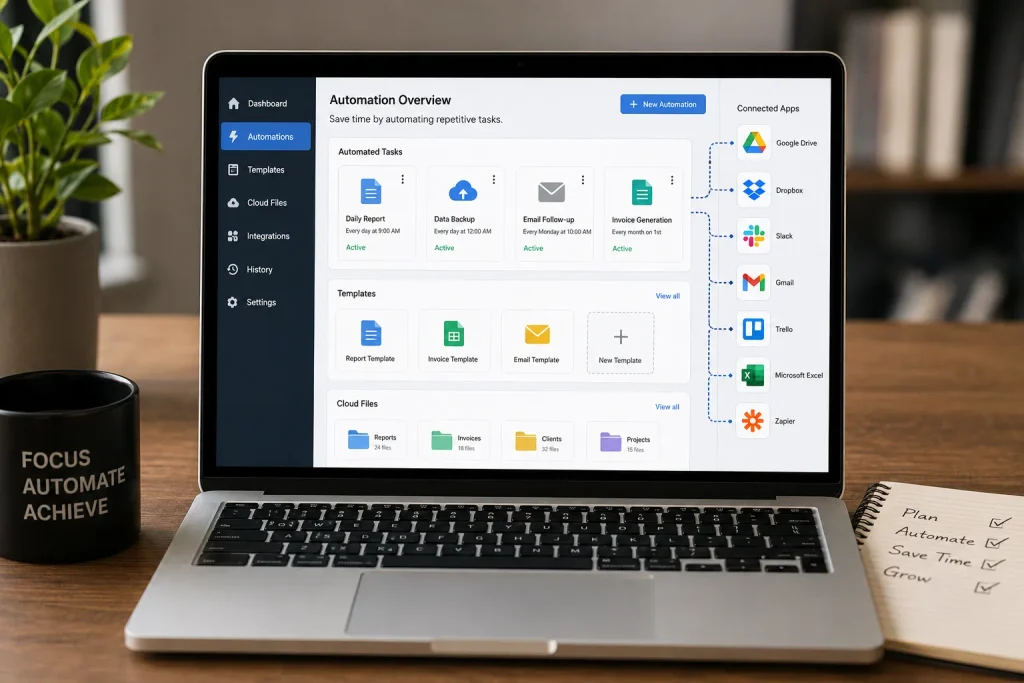
Image Suggestion 2: A professional checking off a detailed digital workflow checklist on a laptop or tablet, with completed tasks clearly organized.
7. Create Templates for Repeated Tasks
Templates can save a significant amount of time.
If you frequently create similar emails, reports, proposals, documents, social media posts, or presentations, create reusable templates.
For example, a customer service template could provide a basic structure while allowing you to customize the details for each customer.
Templates help maintain consistency while reducing repetitive work.
However, avoid making templates so rigid that they become difficult to customize.
8. Organize Your Files Properly
Searching for files can waste a surprising amount of time.
Create a logical folder structure and use consistent filenames.
For example:
Projects → Website → Articles → Published
You can also include dates or project names in filenames when appropriate.
Instead of:
finaldocument.docx
use something more descriptive such as:
productivity-guide-september-2026.docx
A good file organization system makes information easier to locate and reduces unnecessary interruptions.
9. Use the Right Tools
The right digital tools can make workflows significantly easier.
Depending on your needs, useful tools may include:
- Task-management applications
- Digital calendars
- Cloud storage
- Note-taking apps
- Communication platforms
- Spreadsheet software
- Automation tools
- Project-management systems
However, adding more tools does not automatically improve your workflow.
Too many applications can create additional complexity.
Choose tools based on the specific problems you need to solve.
10. Automate Repetitive Tasks
Automation can be one of the most effective ways to improve workflow efficiency.
Look for activities that are:
- Repetitive
- Predictable
- Time-consuming
- Based on simple rules
Examples include:
- Sending routine notifications
- Sorting emails
- Creating recurring tasks
- Backing up files
- Moving information between systems
- Generating standard reports
Even small automations can save time when repeated frequently.
The goal is to allow technology to handle predictable tasks while you focus on work that requires judgment and creativity.
11. Reduce Task Switching
Switching between unrelated tasks can disrupt concentration.
For example, working on a report, checking social media, responding to emails, and then returning to the report can make the process much slower.
Try grouping similar activities together.
You might dedicate one period to:
Focused work
another to:
Email and communication
and another to:
Administrative tasks
This creates a smoother workflow and helps maintain concentration.
12. Set Clear Priorities
Not every workflow step has the same level of importance.
Identify tasks that directly affect your main objective and prioritize them.
A simple priority system can be:
High: Must be completed today
Medium: Important but flexible
Low: Can be postponed or delegated
This prevents minor tasks from consuming the time needed for more valuable work.
13. Create Standard Operating Procedures
If you regularly perform important processes, document how they should be completed.
A simple standard operating procedure, or SOP, might explain:
- What starts the process
- What information is required
- Which steps should be followed
- Who is responsible
- What the final result should look like
SOPs are particularly useful for businesses and teams because they create consistency.
They also make it easier to train someone else to perform a task.
Image Suggestion 3: A small business team reviewing a step-by-step workflow or standard operating procedure on a large monitor in a modern office.
14. Build Quality Checks Into the Workflow
An efficient workflow should not focus only on speed.
Quality matters too.
Add a short review step before delivering or publishing important work.
For example:
Create → Review → Correct → Finalize
A quality check can catch:
- Spelling mistakes
- Incorrect information
- Missing files
- Formatting problems
- Broken links
- Incomplete tasks
Finding errors before delivery is usually easier than correcting them afterward.
15. Leave Room for Unexpected Problems
No workflow goes exactly according to plan every day.
Technical issues, urgent requests, delays, and unexpected changes can disrupt your schedule.
Do not design your workflow so tightly that one small problem causes everything to collapse.
Leave some flexibility in your schedule and build backup options where appropriate.
A flexible workflow is often more useful than a theoretically perfect workflow that only works under ideal conditions.
16. Review and Improve Your Workflow Regularly
A workflow should not remain unchanged forever.
Set aside time to review how the process is working.
Ask:
- Which steps take the most time?
- Where do mistakes happen?
- Which tasks are repeated unnecessarily?
- Can anything be automated?
- Can any step be removed?
- Are the tools still useful?
- Could another person complete part of the process?
Small improvements can create significant long-term benefits.
17. Measure the Results
If possible, measure whether your workflow improvements are actually working.
You might track:
- Time required to complete a task
- Number of errors
- Projects completed
- Response time
- Customer satisfaction
- Amount of repetitive work
For example, if a process previously took three hours and a new workflow reduces it to two hours without lowering quality, you have created a measurable improvement.
Numbers are not always necessary, but they can help you determine whether a change is genuinely useful.
A Simple Framework for Building an Efficient Workflow
If you are not sure where to start, use this framework:
Step 1: Capture
Write down the complete process.
Step 2: Simplify
Remove unnecessary steps.
Step 3: Organize
Put the remaining steps into a logical order.
Step 4: Standardize
Create checklists and templates for repeated activities.
Step 5: Automate
Use technology for predictable, repetitive work.
Step 6: Review
Check the quality of the result.
Step 7: Improve
Look for another small improvement the next time you perform the process.
This approach keeps workflow improvement practical instead of overwhelming.
Common Workflow Mistakes to Avoid
A workflow can become inefficient when you:
- Use too many tools
- Create unnecessary steps
- Keep everything in your head
- Ignore repetitive tasks
- Constantly switch between tasks
- Fail to document important processes
- Skip quality checks
- Create unrealistic schedules
- Never review your process
The best workflow is not necessarily the most complicated one.
It is the one that helps you consistently produce good results with less wasted time and effort.
Final Thoughts
Creating a more efficient workflow starts with understanding how you currently work.
Document your process, identify unnecessary steps, organize tasks logically, and break large projects into manageable actions. Use checklists and templates for repetitive work, organize your files, and automate tasks whenever practical.
At the same time, remember that efficiency should never mean sacrificing quality. Include review steps, leave room for unexpected problems, and regularly evaluate whether your workflow is actually producing better results.
You do not need to redesign your entire routine overnight.
Start with one process that you perform frequently. Find one unnecessary step to remove, one repetitive task to simplify, or one activity to automate.
Small improvements can eventually create a workflow that is faster, clearer, and much easier to manage.


